
No cable down your road
Running wires to every rural home takes years and a lot of money. A tower reaches many homes at once, so service can arrive where cable never has.
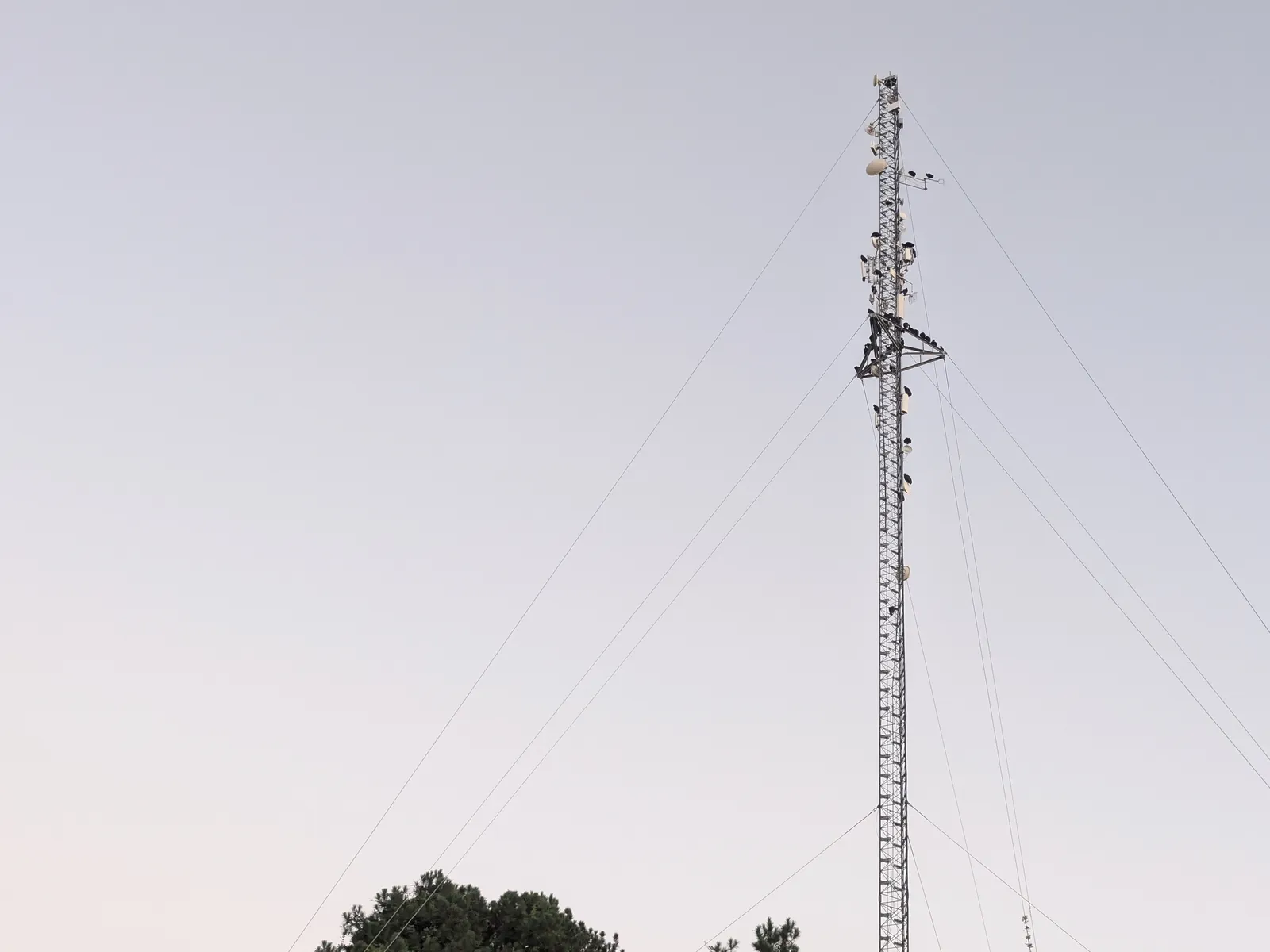
HOW BULLSEYE INTERNET WORKS
Bullseye uses fixed wireless. A small antenna on your home talks to our equipment on a nearby tower, so you get a fast home connection without waiting years for cable or fiber to reach your road.
From the tower to your couch
Four pieces, one steady connection.
Our equipment sits up high on a tower that is connected to the wider internet. It's Bullseye's own network, separate from the ones your cell phone uses.
A focused radio link carries your connection a few miles through the air instead of through cable in the ground.
A small antenna on your roof or a pole is aimed at the tower during professional installation. It stays put, which is the "fixed" in fixed wireless.
A cable brings the connection inside to your router, which shares it with every device in the house.
Why it fits here
Running wires to every rural home takes years and a lot of money. A tower reaches many homes at once, so service can arrive where cable never has.
Bullseye typically sees internet latency below 20 milliseconds, usually below 15. That can give video calls and games the responsive feel of fiber, without a fiber line to your home. Actual latency depends on the destination and network conditions.
Every published Bullseye home and seasonal plan includes unlimited data. Stream, work and update without watching a meter.
Bullseye builds and runs its own network here. When you call, you reach people who know the area and the equipment on the towers.
Your options, side by side
Every way to get online has trade-offs. Here are the honest ones.
| Type | How it reaches you | Needs lines to your road? | Responsiveness | Good to know |
|---|---|---|---|---|
| Bullseye fixed wireless | Radio link from a local tower to an antenna on your home | No | Typically below 20 ms to the internet, usually below 15 ms | Needs a fairly clear view of a tower. Bullseye checks your address before installing. |
| Cable and fiber | Wires run along the road to your house | Yes | Excellent | Great where it exists. Building lines down long rural roads is costly, so many homes here are still waiting. |
| DSL | Old copper telephone lines | Yes | Fair | Speeds drop the farther you live from the phone company's equipment. |
| Traditional satellite | Dish aimed at a satellite about 22,000 miles up | No | Noticeable delay | Each round trip takes over half a second, so video calls and games can lag. Some plans limit data. |
| Low-orbit satellite (Starlink) | Dish aimed at satellites a few hundred miles up | No | Low latency, with much less delay than traditional satellite | Needs a wide, clear view of the sky. Uploads are slower than downloads: Starlink lists up to 15–35 Mbps on Residential 100/200 and 20–40 Mbps on Residential Max. Plan availability and performance vary by address. |
| Cellular home internet | The same towers your cell phone uses | No | Good, can vary | Shares capacity with nearby phones, so it can slow at busy times. Rural coverage varies. |
Bullseye latency figures reflect our network observations, not a guarantee for every connection. For video calls and large file uploads, compare upload speeds as well as downloads at your address. Starlink figures are from its Residential plan information, checked October 19, 2026. These are provider-reported figures, not a side-by-side speed test.
Good to know
Not sure about your spot?
(804) 296-2910
No. You use the internet the same way, with the same Wi-Fi, devices and apps. The only difference is how the connection reaches your home: through the air from a tower instead of through a line in the ground.
The radio link works best with a fairly clear path. Hills, buildings and thick stands of trees can get in the way. Bullseye looks at your address first and picks the best spot for the antenna, which may be your roof or a separate pole.
Everyday rain, wind and fog don't usually make a noticeable difference. A very heavy downpour or ice on the antenna can briefly weaken any wireless signal.
Published home plans run from 100 Mbps to 250+ Mbps with unlimited data, which is plenty for streaming, video calls and a house full of devices. Speeds depend on your location.
Compare plansPublished plans include professional installation and equipment with a service term. Bullseye's local team installs it, aims it and supports it.
Talk to Bullseye
Tell us where you are. We'll check the signal for you.